
How to join your match room
Matches in an organizers' room (depending on the tournament: from the quarter-finals, from the semi-finals or the final only) are played in eFootball's Custom Tournament mode. Before kick-off, the organizer (or the room host) creates the tournament in the game and posts its room ID in the “Your match” card on the tournament page. You just enter that ID in the game. For matches you set up yourselves, see the friend match guide.
🎮 How to create and join a friend match room →📋 Before you start: open the tournament page and copy the room ID from the “Your match” card.
- 1
Step 1
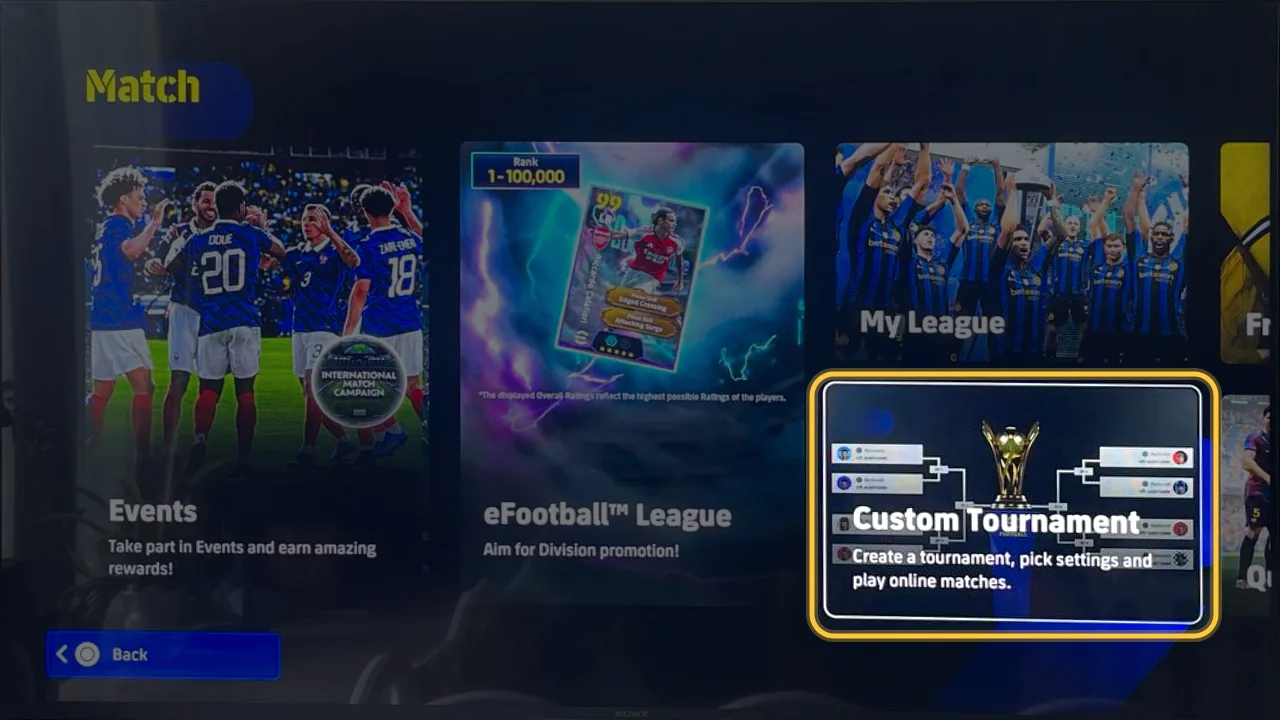
Go to Match → Custom Tournament
From eFootball's home screen, open Match and choose Custom Tournament.
- 2
Step 2
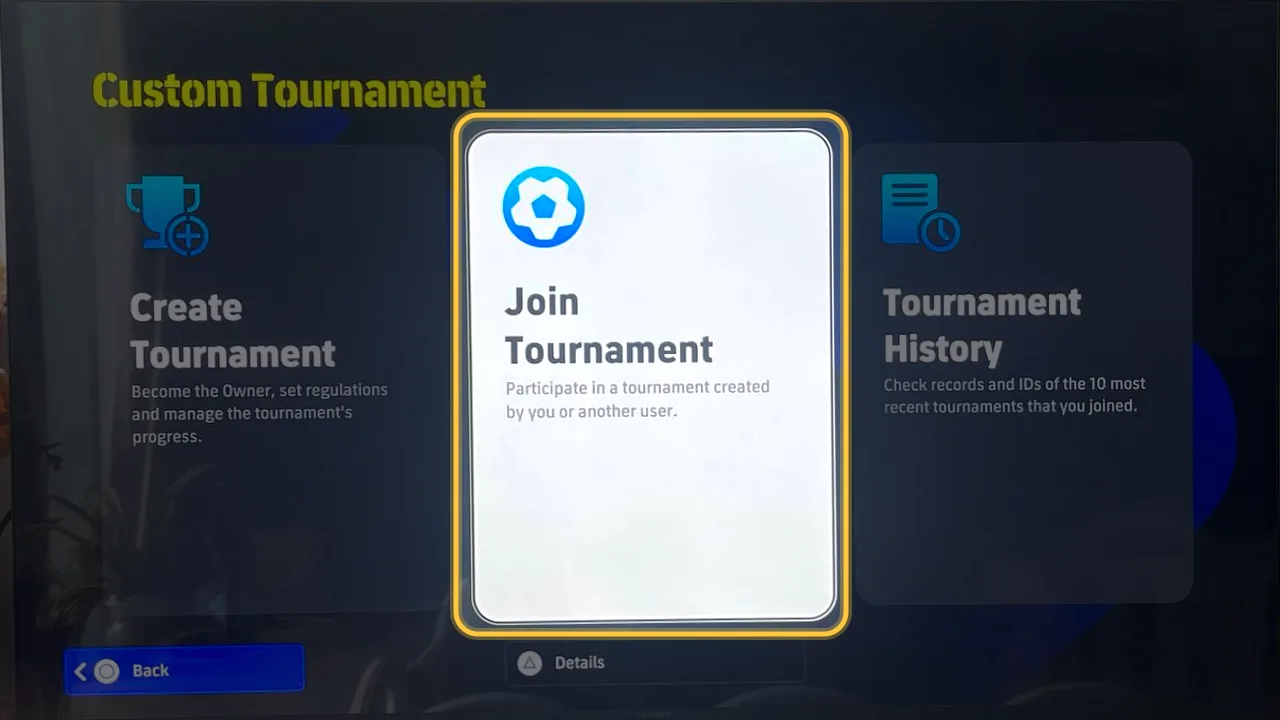
Choose Join Tournament
Not Create Tournament: that one makes a new tournament.
- 3
Step 3
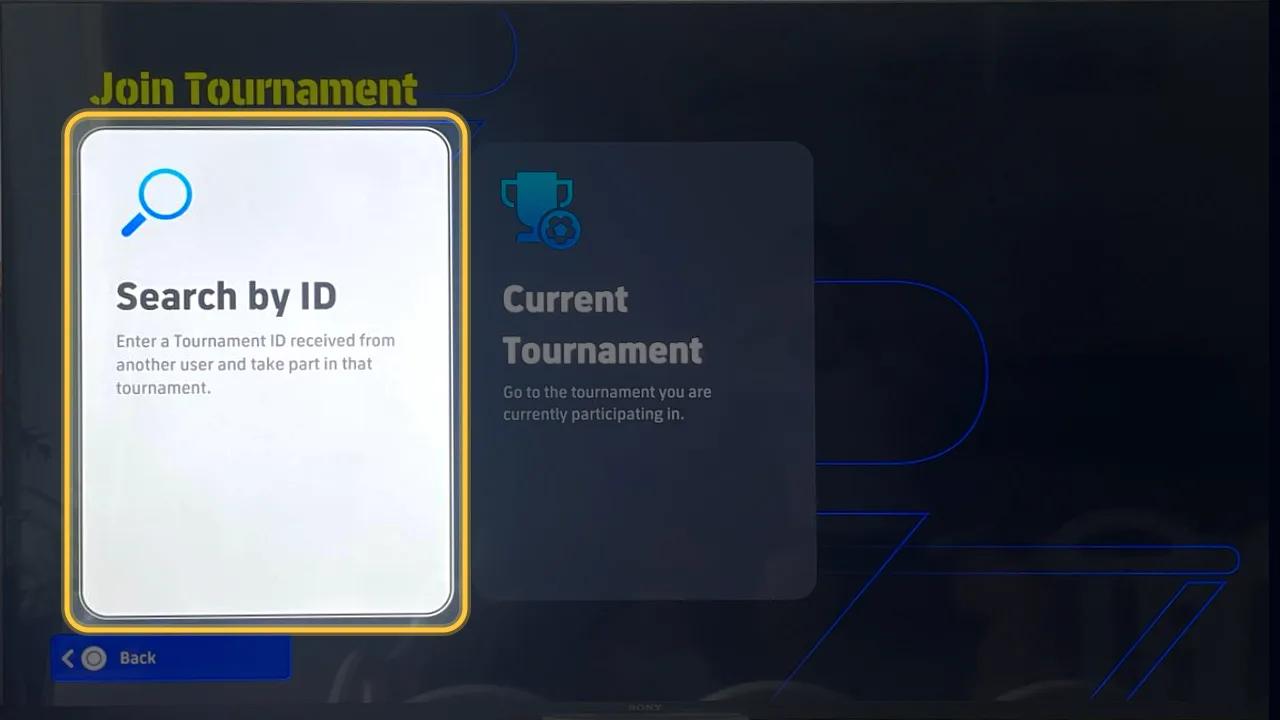
Choose Search by ID
Find the tournament with the ID the admin posted on the site.
- 4
Step 4
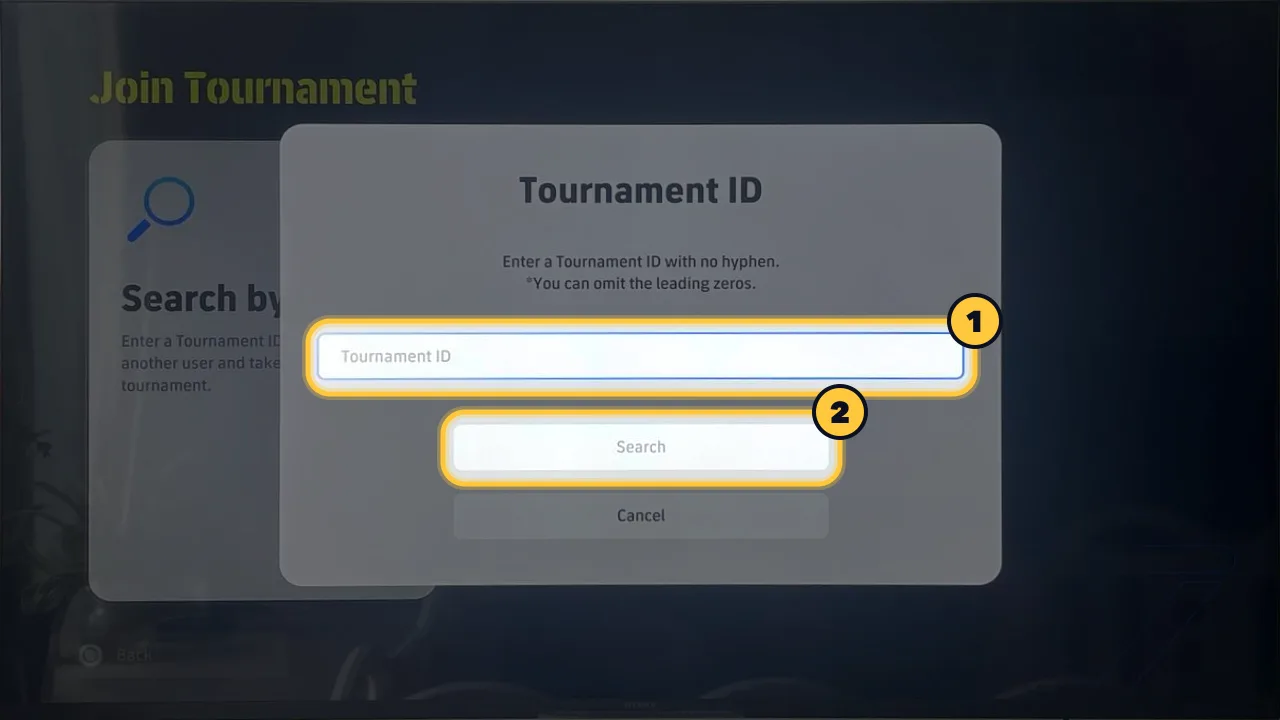
Enter the room ID and press Search
Type the ID with no hyphen (the copy button on the site already removes it); leading zeros can be left out. If the room has a password, enter the one shown on the site.
✅ Once you're in
- On the site, press “I'm in the room” so the admin knows you're ready.
- Wait for the admin to set the pairings and start. Don't leave the room until your matches are over.
- Left by mistake? Go back via Match → Custom Tournament → Join Tournament → Current Tournament.
🛟 Can't get in?
- Check the ID: no hyphen, no extra spaces.
- The screenshots are from PlayStation; on PC and mobile the menus have the same names but may look different.