
For TikTokers · Streamers · Group admins
Turn your followers into a competitive community
Open your own eFootball community on eFFCup: a page with your logo, cover and own link, tournaments that run themselves, and a season leaderboard that brings your fans back every week. You make the content; eFFCup runs the events.
✨ Completely free: no fee to start, no fee per tournament, no ads on your page.
What you get
Everything to run an eFootball community, in one place
Your own branded page
Logo, cover, colour, about, rules, and your TikTok, YouTube, Facebook, Zalo and Discord links. A short effcup.com/c/your-name link for your bio.
Tournaments without the busywork
Knockout, or groups then knockout. The site draws, schedules and keeps the bracket live. Players report scores with a screenshot and opponents confirm: no entering every match by hand.
A season leaderboard
After each tournament, members get points by their placing (you set the scale). End the season to keep an honour board and start the next: a reason to come back every week.
Fans hear about it at once
New tournaments, schedules, opponents and results reach their phones (app and browser). No more chasing everyone in the group chat.
A chat for every group and match
Players set a time, share the room ID and post the result screenshot in their own match. For disputes, Referee eAI gathers the evidence and you decide.
Public or private
Public to grow, or private for members only. Tournaments can be members-only. Accept requests, remove or ban troublemakers.
A team of mods
Up to 5 mods run tournaments for you: results, disputes, members. You keep control of the page and the points.
Fans earn site-wide points
Public community tournaments count for eFF Points: your fans climb eFFCup's rankings, with a profile, records and titles.
Great-looking links, one-tap invites
A private invite link takes fans straight in. Shared on TikTok, Facebook or Zalo, it shows your cover and name.
Who is it for?
eFootball TikTokers and YouTubers
You have an audience but nowhere for them to play each other. Your channel's weekly cup is natural content for videos and lives.
Streamers
Run a cup for your viewers on stream, with a live bracket to put on screen.
Zalo, Facebook and Discord group admins
Running cups with spreadsheets and messages? On eFFCup sign-ups, draws, results and the leaderboard are automatic.
Clans and groups of friends
A place of your own: internal cups, a season leaderboard and an honour board of who won what.
Up in a few minutes
How to set up your community
- 1
Ask eFFCup for access
Sign in to eFFCup with Google and make your profile, then message the admin on Telegram or Facebook with your channel's name and link. They turn on community creation for your account, usually the same day.
- 2
Create it: name, link, logo, cover, colour
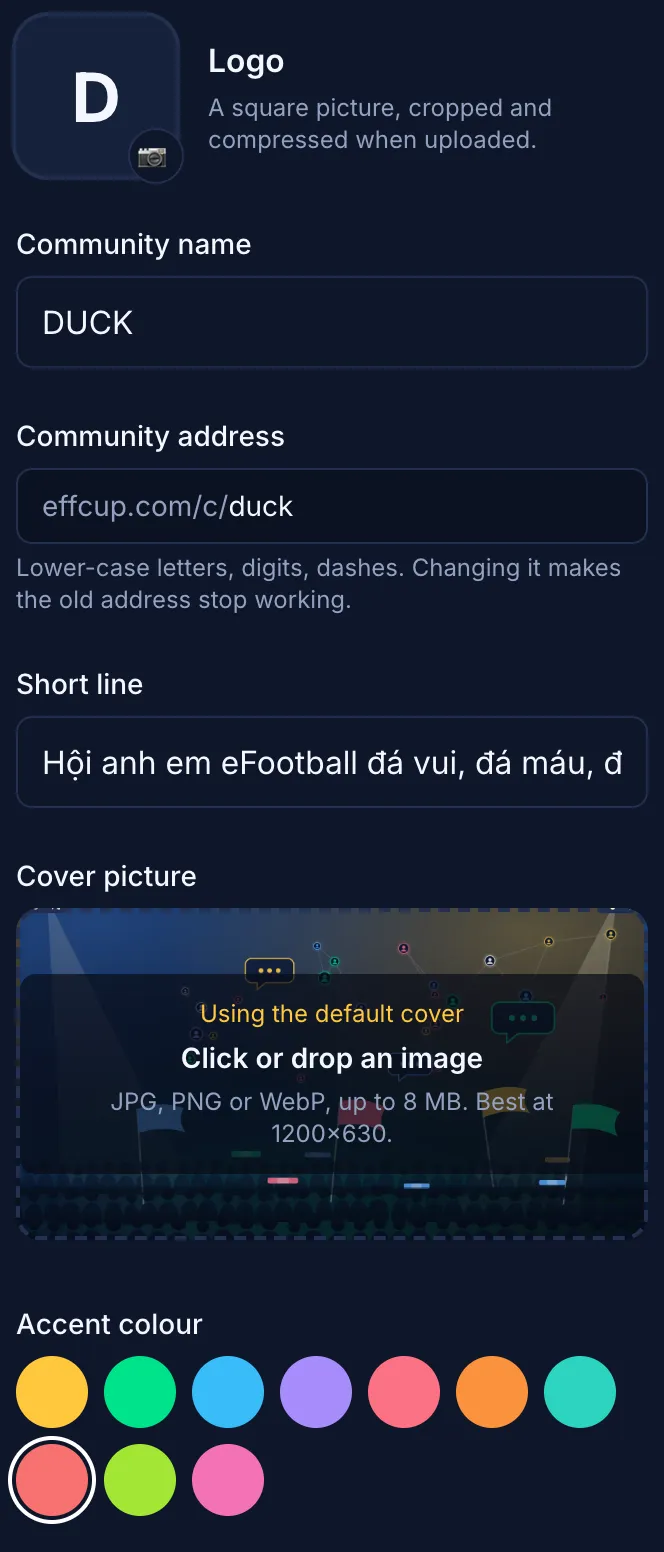
Go to Communities → Create a community. Pick a name and your link (effcup.com/c/your-name), upload a logo (squared for you), choose a cover and colour, write the about and rules, add your social links. Public or private.
- 3
Your community page is live
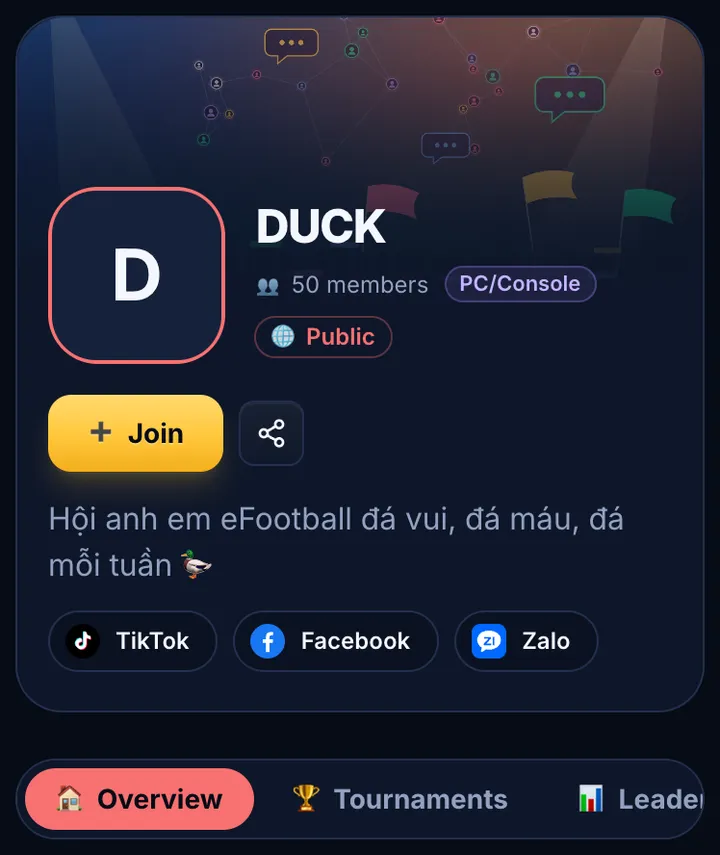
Fans see your logo, about, social links, upcoming tournaments, the season leaderboard and the honour board, with a Join button at the top.
- 4
Bring your fans in
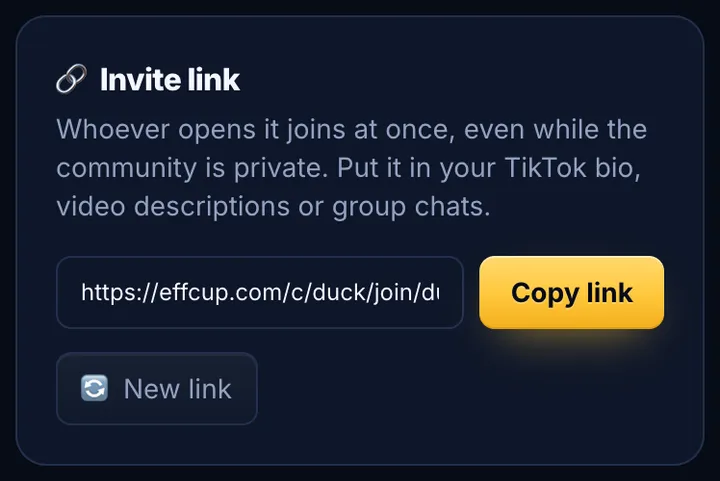
Copy the invite link from the manage page into your TikTok bio, video descriptions and group chats. Opening it joins at once, even while the community is private. A public one anyone can join with a tap.
- 5
Create tournaments for the community
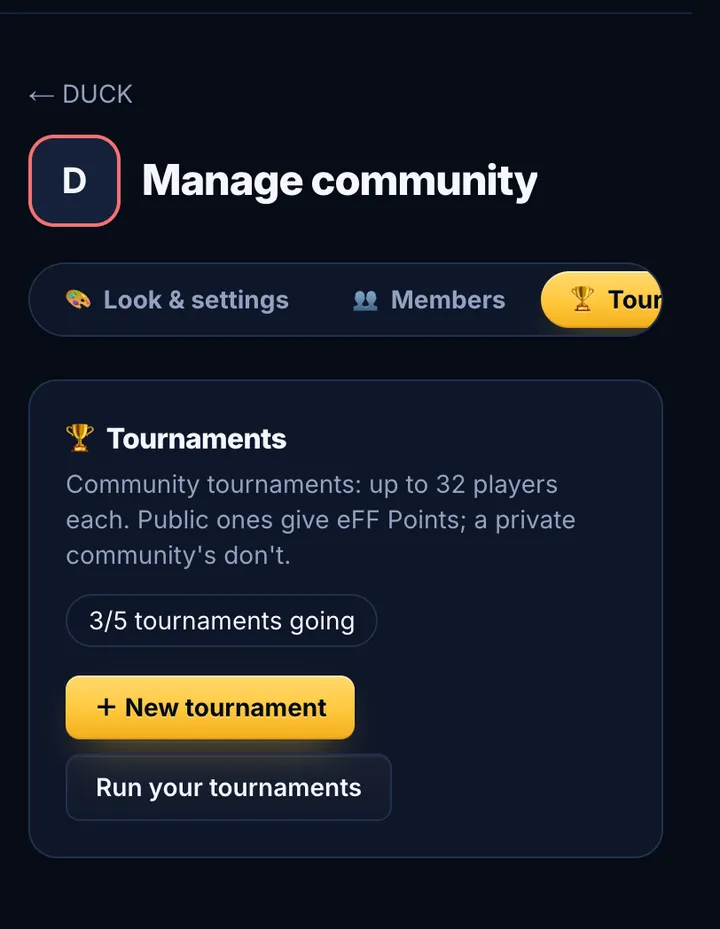
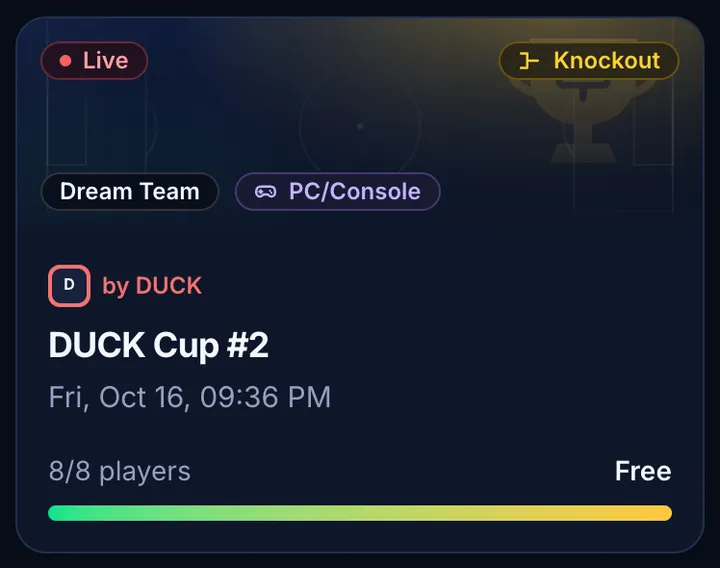
Tournaments tab → New tournament: format, players, kick-off, Dream Team or Authentic, members-only if you like. Members are told and sign up on the site, no check-in; the site draws it 5 minutes before kick-off and it runs on the site.
- 6
The season leaderboard
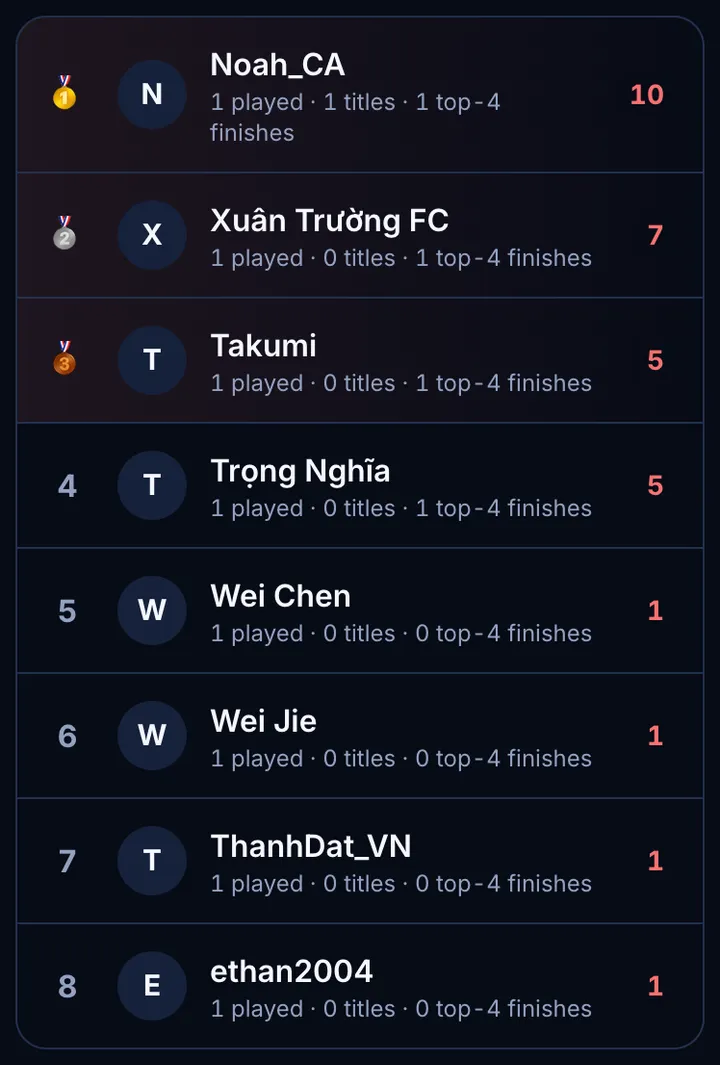
When a tournament ends, points are added by placing (champion, runner-up, top 4, played: your scale). End the season with a tap: the last one becomes an honour board.
- 7
Add mods
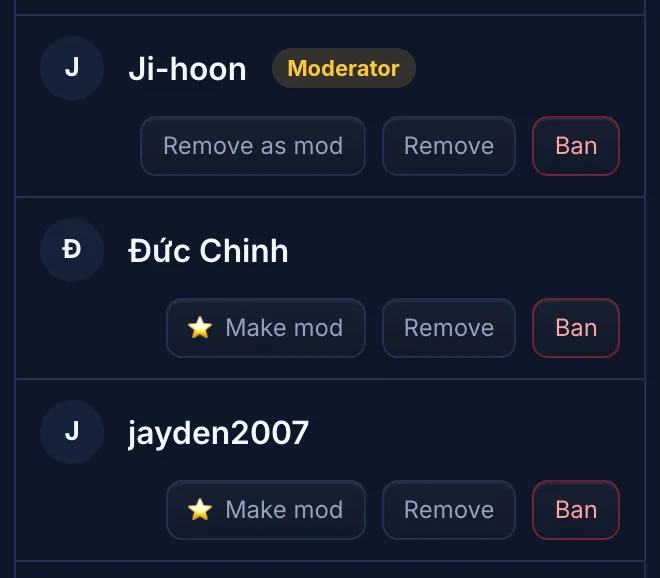
In the Members tab, tap Make mod next to people you trust (up to 5). They run tournaments and members for you; take it back any time.
Questions
Does it cost anything?
No. Creating a community, running tournaments and notifying your fans are free.
What do my fans need to do?
Sign in to eFFCup with Google and make a profile with their eFootball ID (about a minute), then tap Join or open your invite link. eFFCup installs like an app on phones for notifications.
How many players per tournament, how many tournaments?
By default up to 32 players per tournament and 3 running at once. Bigger communities can ask the admin to raise the limits.
Do community tournaments count for Elo or eFF Points?
Public community tournaments count for eFF Points. Elo is for eFFCup's official tournaments. A private community's tournaments are seen by members only and give no eFF Points.
Can my community be private?
Yes. Only members see a private community's page and tournaments; others ask to join (you accept) or use your invite link.
I'm busy. Can someone else run it?
Yes. Make up to 5 mods: they create and run tournaments, enter results, settle disputes and accept members. Only you edit the community, its points and seasons.
Which platforms?
PC, PlayStation and Xbox play together; Mobile is separate. Each tournament picks one.
Ready to open your community?
Send eFFCup your channel's name and link. The admin turns on access, and you have your community page and first tournament today.
See the communities already here →