
How to create and join a friend match room
Group matches and the knockout rounds the players play themselves (depending on the tournament: the rounds before the organizers' room, or all the way to the final) are 1 vs 1 Friend Matches. For each match one player creates the room (🏠) and posts its number on eFFCup; the other player searches for the room by that number.
🏠 You create the room
Do this when your match says 🏠 “You create the room”.
- 1
Step 1
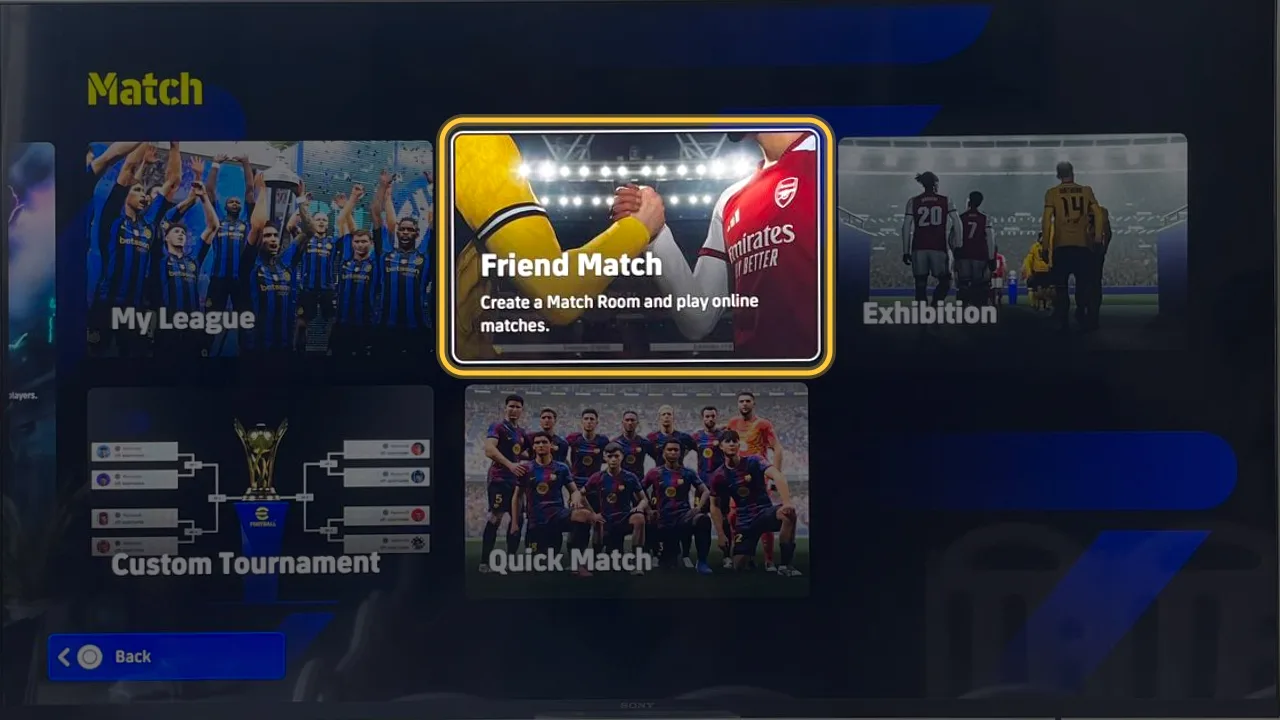
Go to Match → Friend Match
From the eFootball home screen, open Match and pick Friend Match.
- 2
Step 2
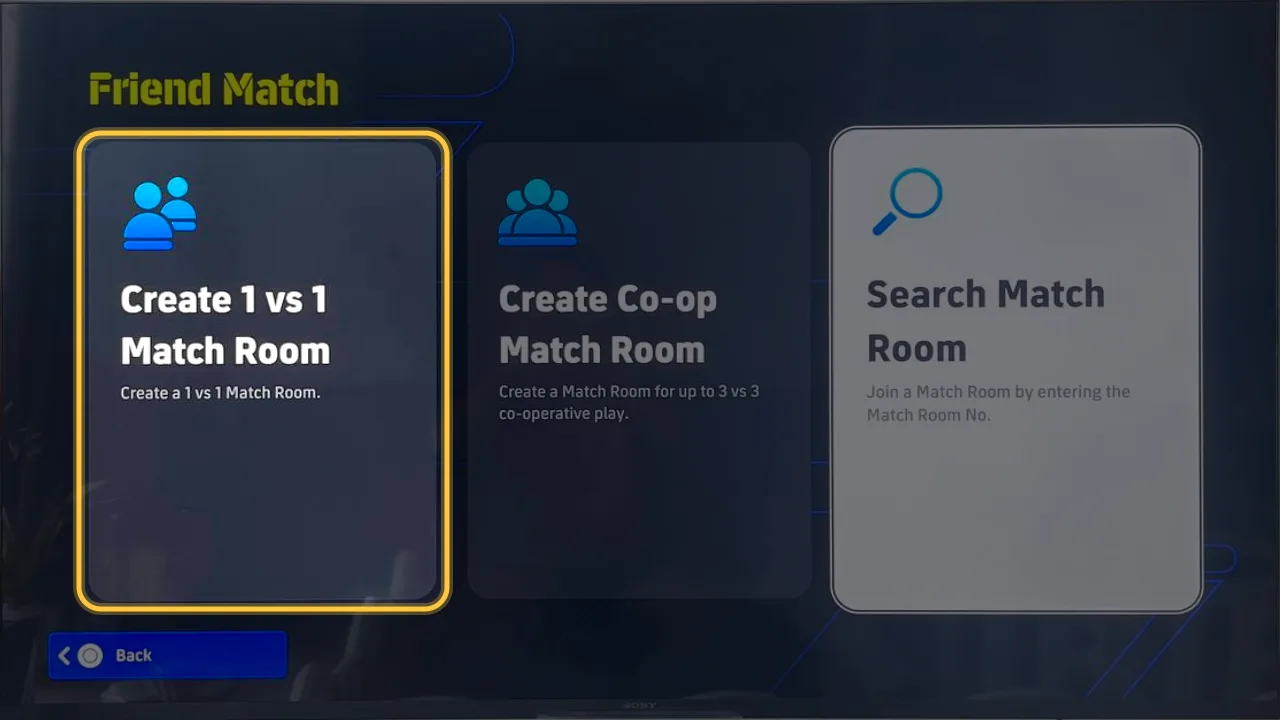
Pick Create 1 vs 1 Match Room
Not Create Co-op Match Room: that one is for co-op play up to 3 vs 3.
- 3
Step 3
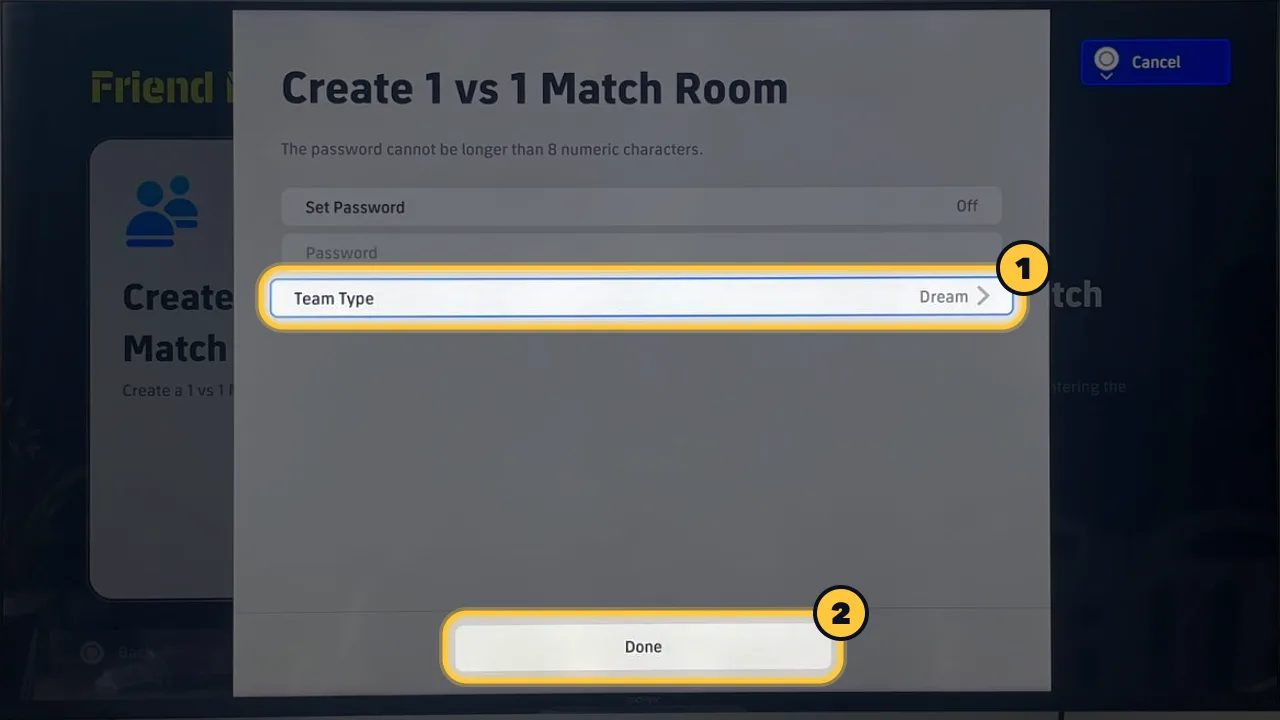
Set Team Type, then press Done
Pick the tournament's team type (Dream Team or Authentic). Leave Set Password Off so your opponent can join straight away.
- 4
Step 4
Post the room number on eFFCup
The game shows the Match Room No. Open the tournament page, paste it into the “Room ID” box on your group match card and press Send. Your opponent is notified right away.
🎮 You join your opponent's room
Do this when your opponent creates the room. The room number appears on your match card as soon as they post it.
- 1
Step 1
Go to Match → Friend Match
From the eFootball home screen, open Match and pick Friend Match.
- 2
Step 2
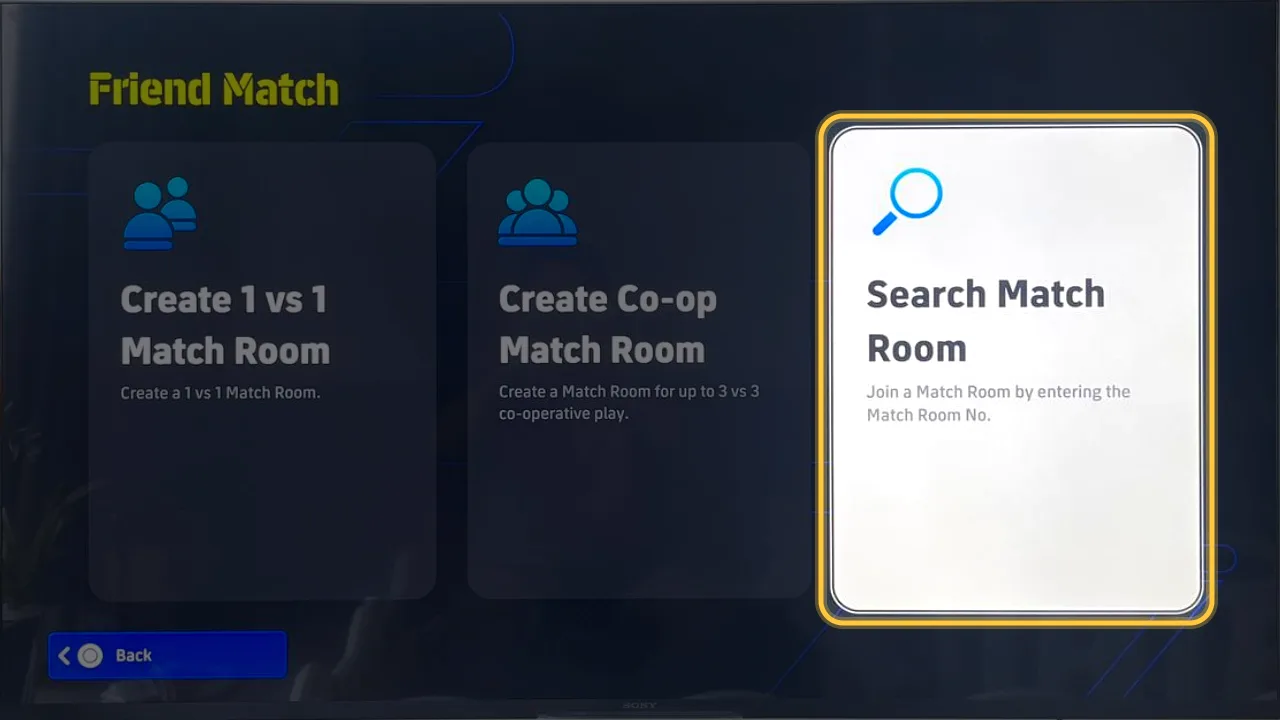
Pick Search Match Room
You'll find the room by the number your opponent posted on the site.
- 3
Step 3
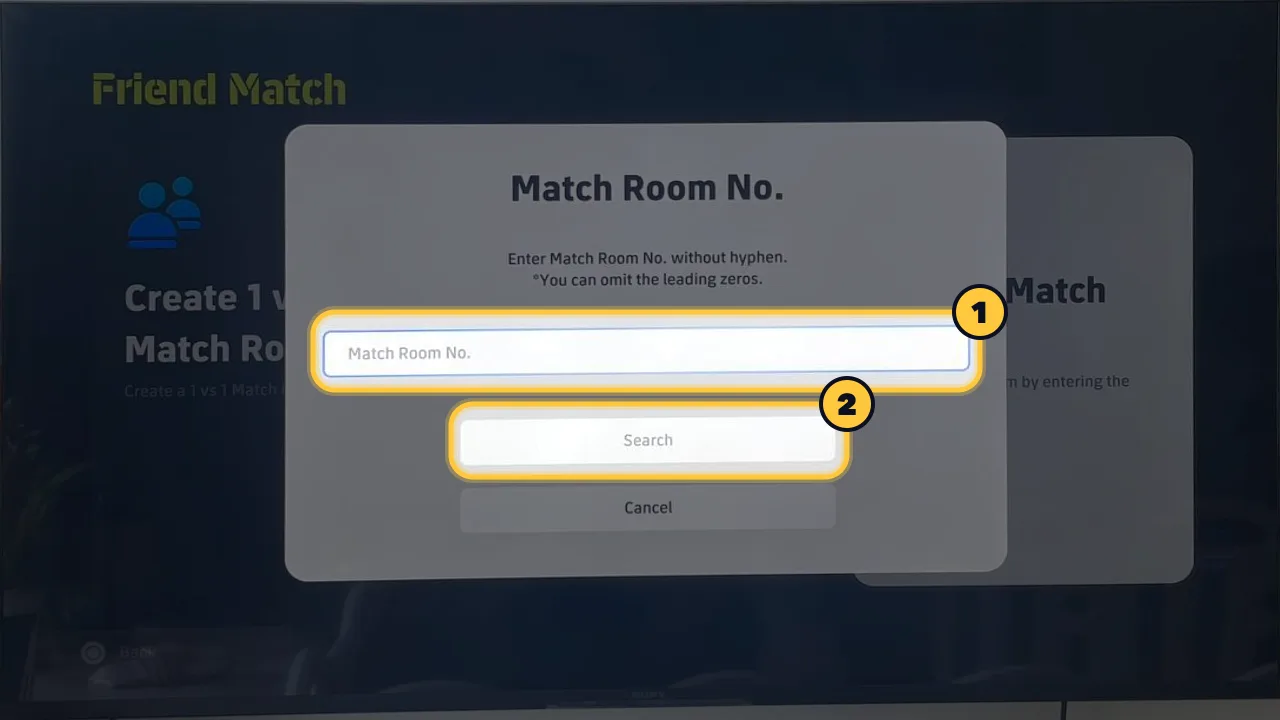
Enter the room number and press Search
Type it without hyphens (the copy button on the site removes them); leading zeros can be left out.
✅ After the match
- Take a screenshot of the final score.
- Either player reports the score with the screenshot on the tournament page; the other presses Confirm or Dispute.
- If nobody answers within 3 minutes, the reported score stands.
🛟 Having trouble?
- Room not found: check the number and make sure the creator is still in the room.
- Opponent hasn't posted a room number or doesn't show up: write in the match/group chat, report a no-show, or tell the group host or an admin.
- Screenshots are from PlayStation; on PC and mobile the menus have the same names but may look different.