
For organizers
How to run a player-run tournament
On eFFCup you can host tournaments for your friends, team or community with the same tools as official ones: registration (no check-in needed), draws, match rooms, result reporting, disputes and match chats. Follow the steps below and your tournament is ready to go.
🧭 Before you start
You need access
Creating player-run tournaments needs an admin to enable it on your account. Message the admin on Telegram @effcupsupport or the Zalo group with your in-game name and the tournament you have in mind.
Tournament size
A tournament has at least 4 players. By default you can create tournaments of up to 8; run them well and the admin will raise your limit to 16, 32… up to 512 players.
Up to 3 at a time
You can have up to 3 tournaments that haven't finished. Finish or cancel one to create a new one.
eFF Points, not Elo
Player-run tournaments award eFF Points (win +3, draw +2, loss +1), not Elo. A trusted tournament can be made official by an admin so it counts for Elo.
1.⚙️ Create the tournament
Open the account menu (top right on a computer, the “Me” tab at the bottom on a phone), choose “My tournaments” and press “New tournament” (it only shows once your account has access). The form comes in sections, most of them already filled with sensible values.
- 1
Step 1
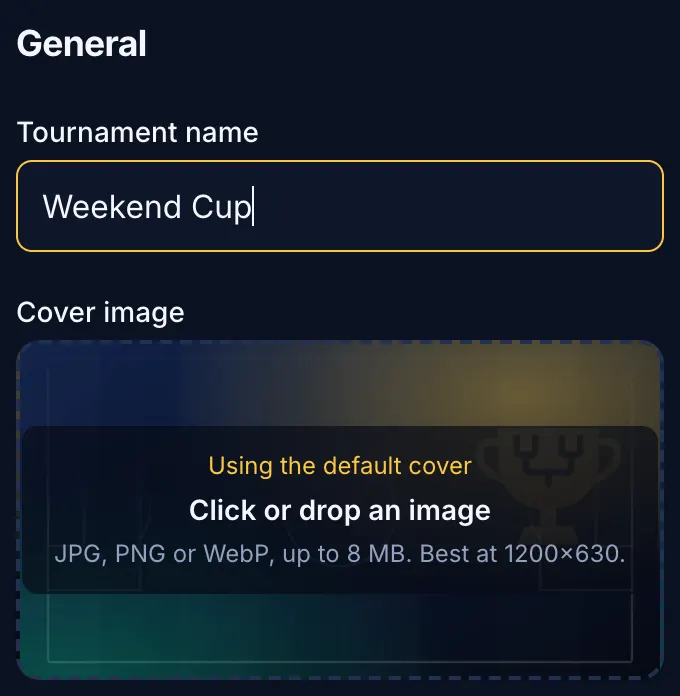
General information
Give it a memorable name, write a description and the rules (match length, what happens on a disconnect, when a player forfeits…). Add a cover image: it also shows when you share the tournament link on Facebook or Zalo.
- 2
Step 2
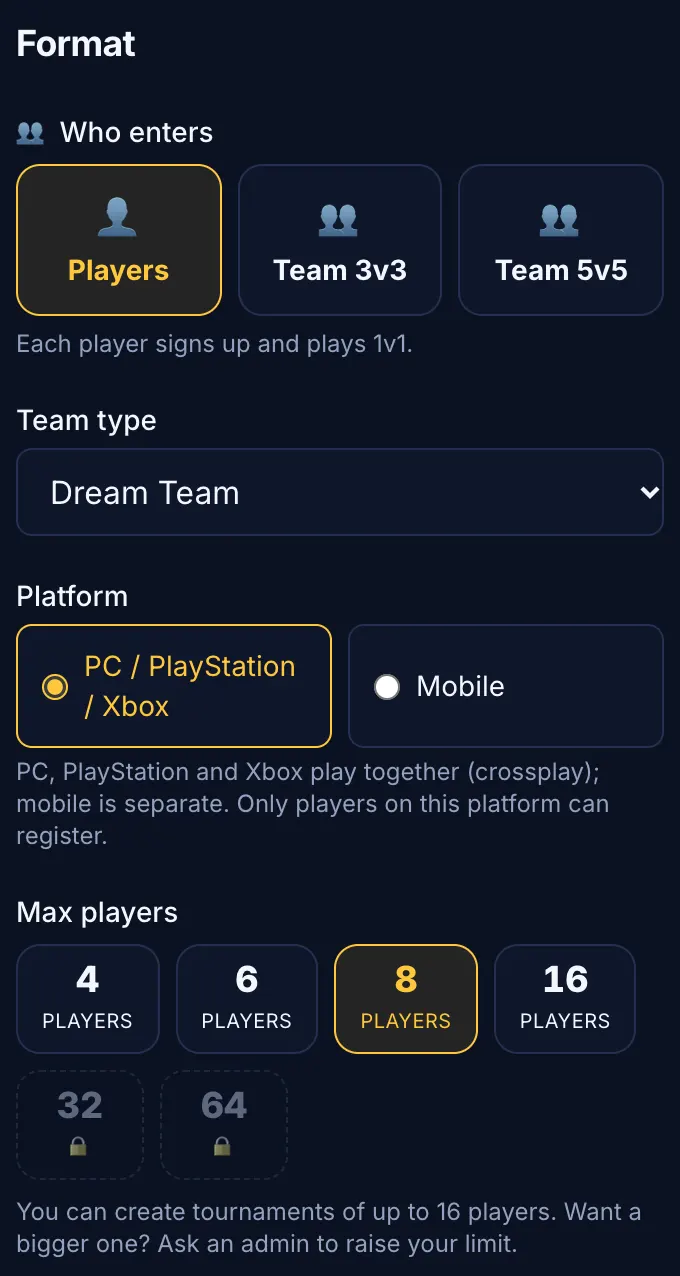
Format
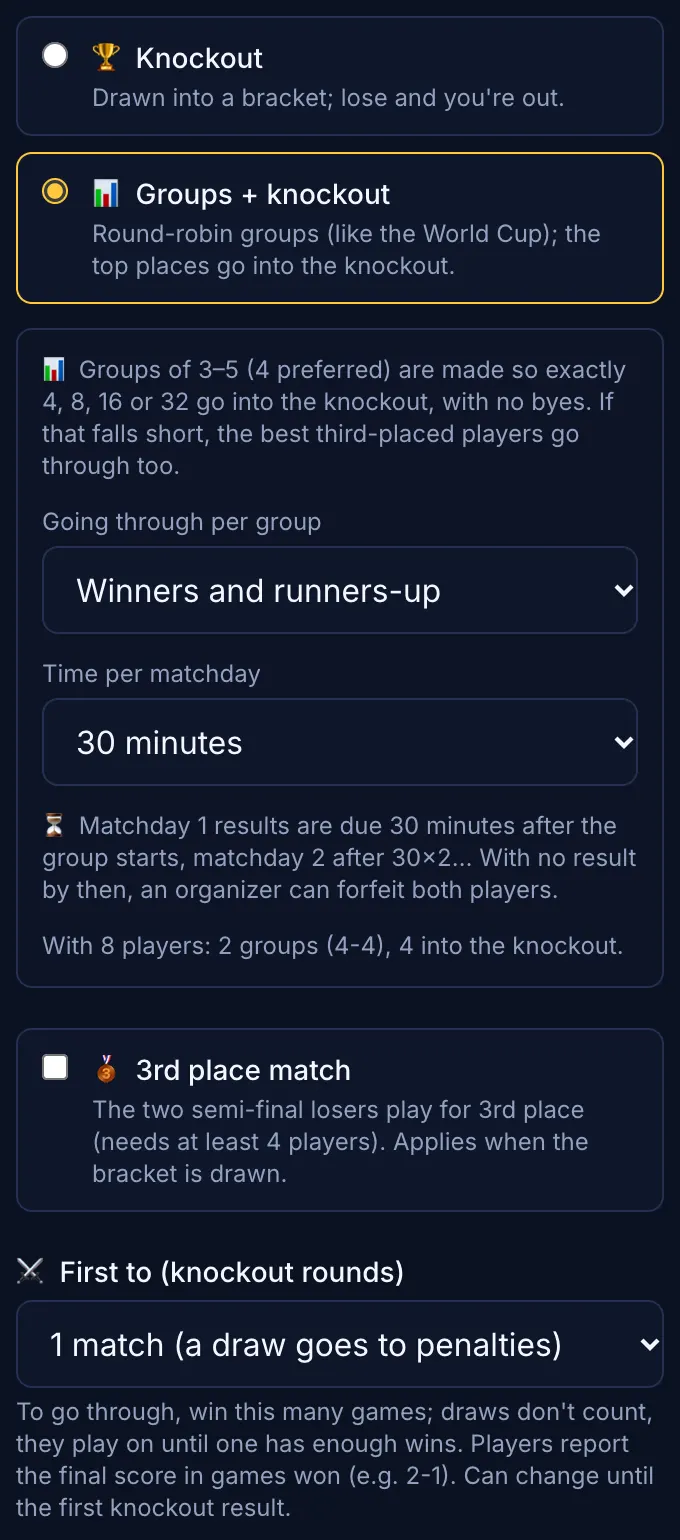
Choose who enters (solo, Team 3v3 or 5v5), the team type (Dream Team or Authentic), the platform (PC, PlayStation and Xbox play together; Mobile is separate) and the max players. Then pick “Knockout” (lose and you're out) or “Groups + knockout” (groups of 3–5 are made automatically; you choose how many go through per group and the time per matchday). Add a 3rd place match, first-to rounds (BO3, BO5) and choose “Rooms for the last rounds” if you need them.
- 3
Step 3
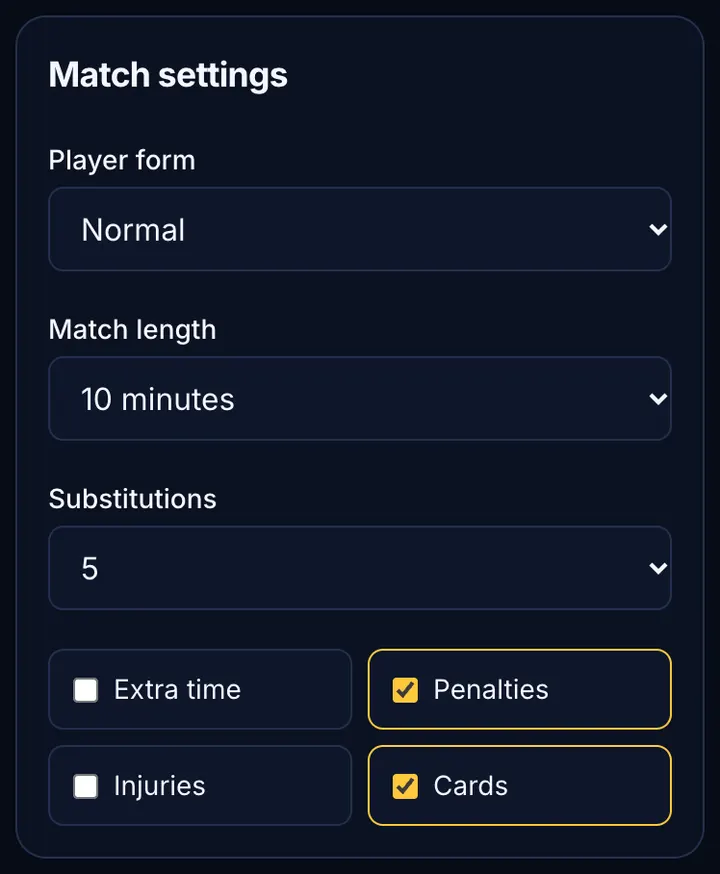
Match settings
These are the in-game room settings everyone plays with: player form, match length, substitutions, and whether there's extra time, penalties, injuries and cards. Match them to your rules so nobody argues.
- 4
Step 4
Times
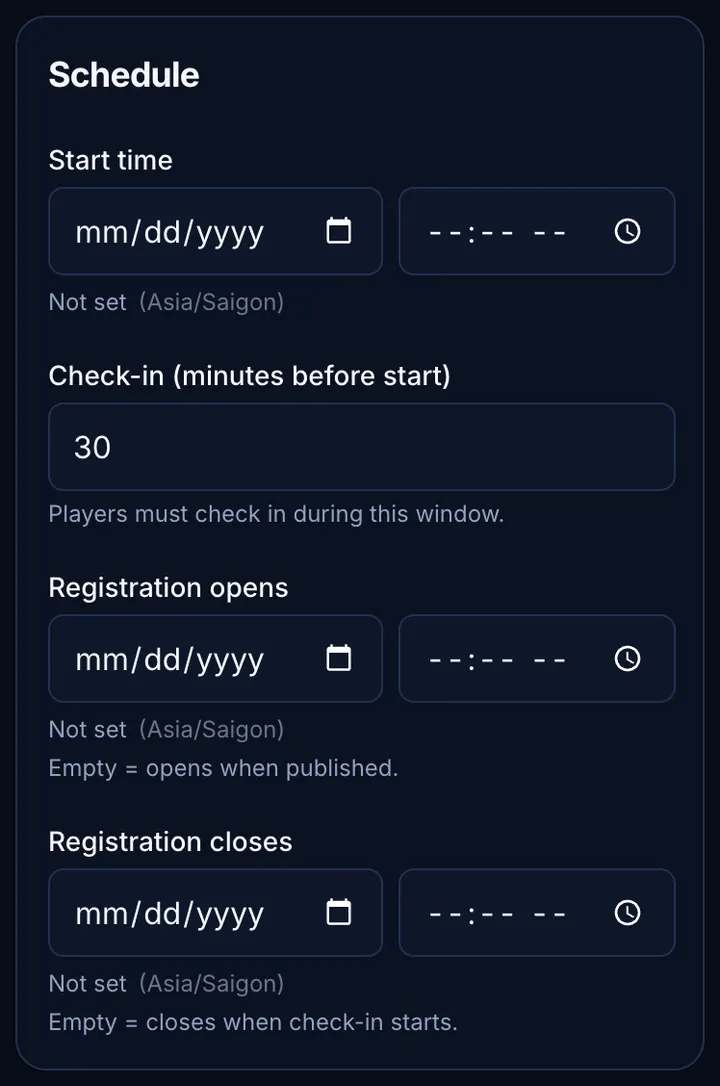
Choose the start time. Leave “Registration opens” empty to open it now, and “Registration closes” empty to close it when the site draws it, 5 minutes before kick-off. No check-in: everyone signed up has their place (the main list first, then the waitlist). Each round's schedule is filled in from the start time; adjust it if needed.
- 5
Step 5
Entry fee and prizes
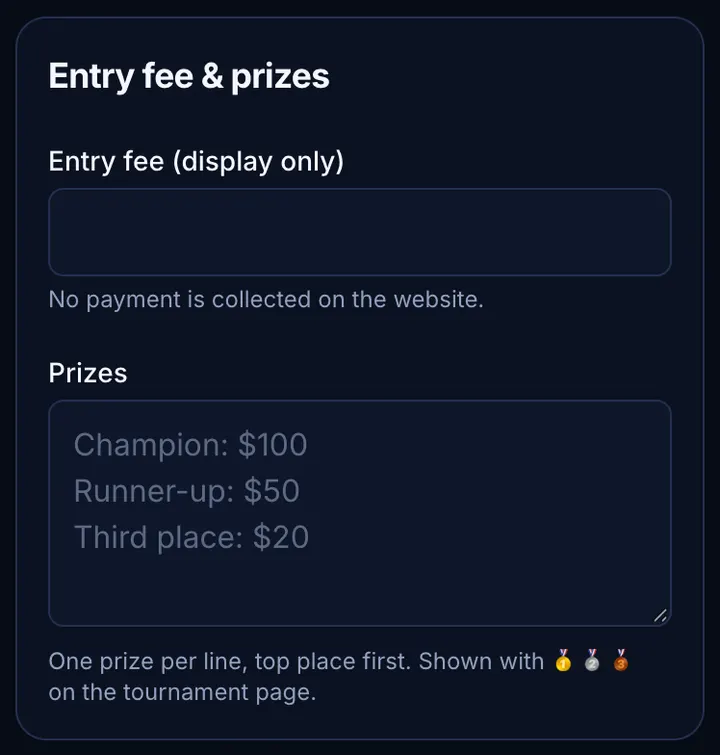
The entry fee is display only: eFFCup collects no money. Write one prize per line, the top prize first; the tournament page shows them with 🥇🥈🥉. Both can stay empty.
- 6
Step 6
Create and open sign-ups
Press “Create and open sign-ups”. The tournament shows right away in the tournament list with a Community tag. You can still change its settings any time before the draw.

2.📣 Invite players
Once registration is open, your job is to bring players in and remind them to be there on time.
- 1
Step 1
Share the link
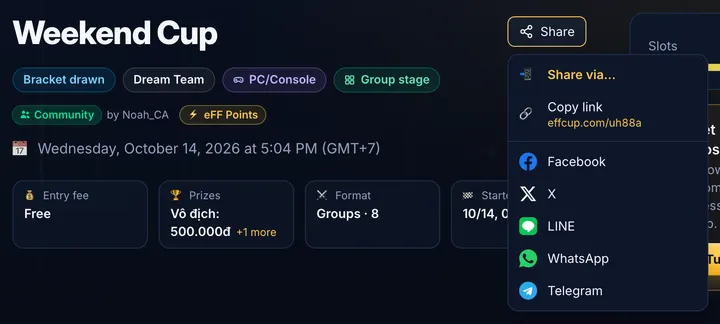
Press “Share” on the tournament page for a short link and post it in your Zalo, Facebook or Discord groups. Players only need to sign in (Google, Facebook or email) to register.
- 2
Step 2
Manage the list
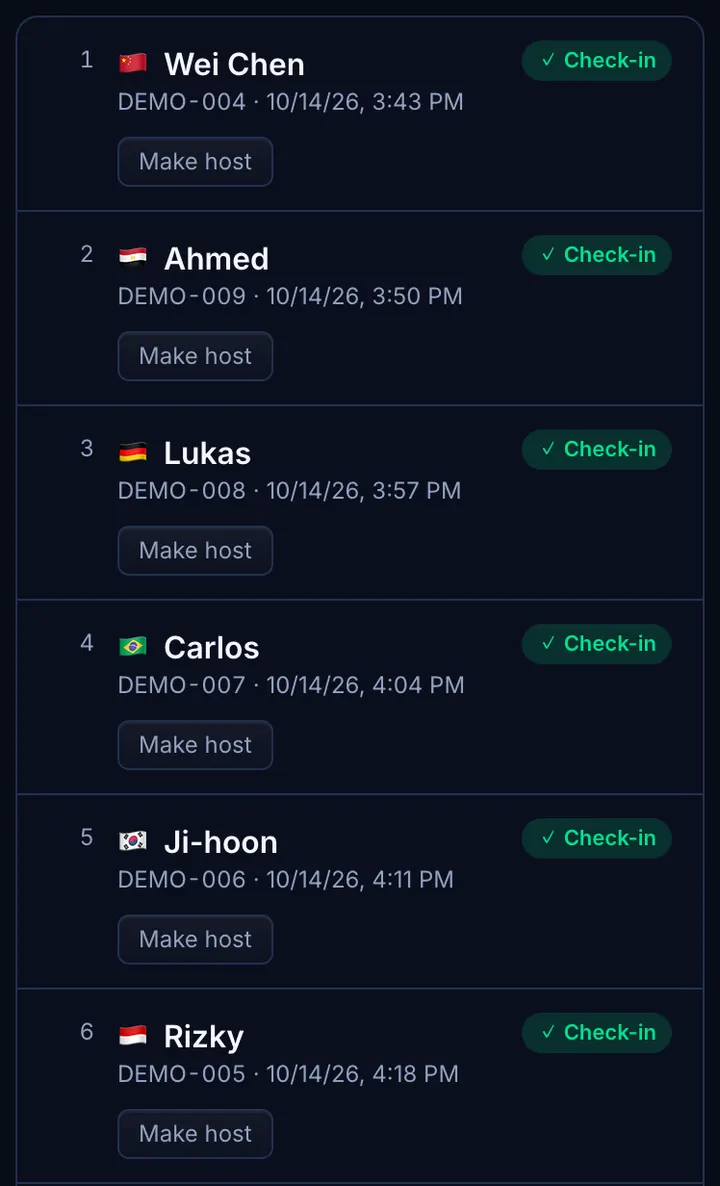
The tournament's “Players” page lets you add players by eFootball ID, move players up from the waitlist and remove rule breakers.
- 3
Step 3
Remind them of the time
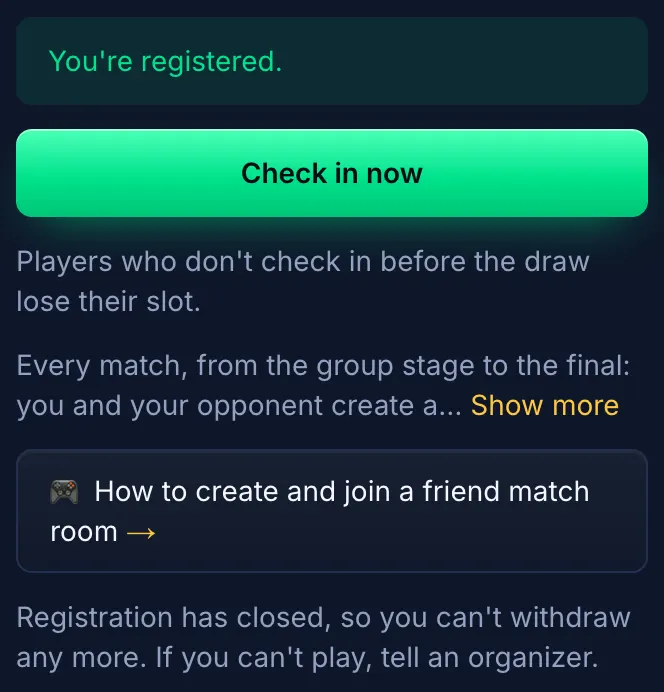
No check-in: everyone signed up has their place. Remind them of the kick-off in the tournament's chat or your group; the site also reminds those with notifications on when it's their turn.
3.🏆 Run match day
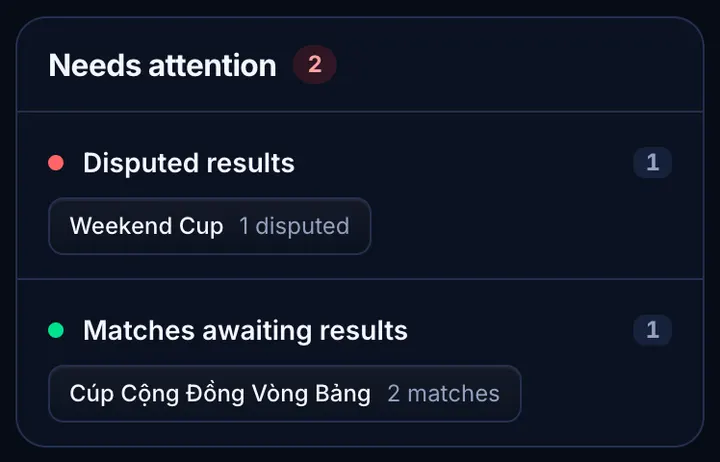
Everything is run from the tournament's management page (My tournaments → the tournament). The “Needs attention” box at the top of My tournaments always tells you which tournament needs you.
- 1
Step 1
The draw
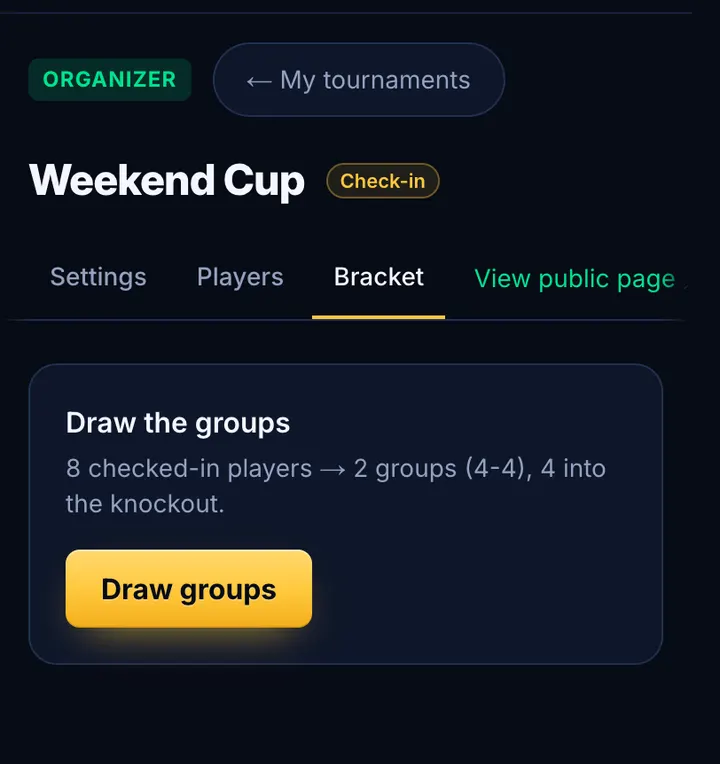
The site draws it 5 minutes before kick-off with everyone signed up (up to the places): nothing to do. To draw earlier, close registration, open “Bracket” and press “Draw now” (group tournaments: “Draw groups”). You can redraw or swap players until the first result is in.
- 2
Step 2
Match rooms
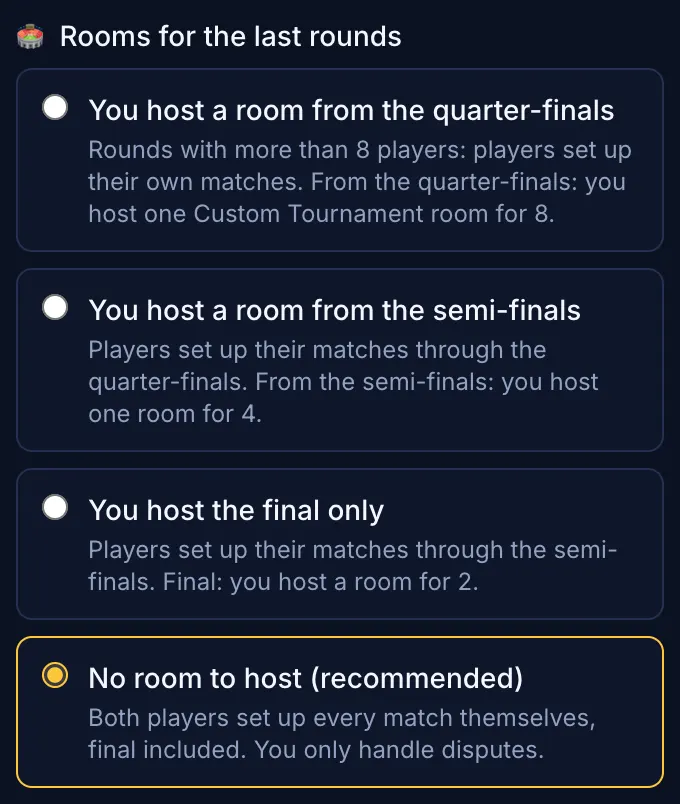
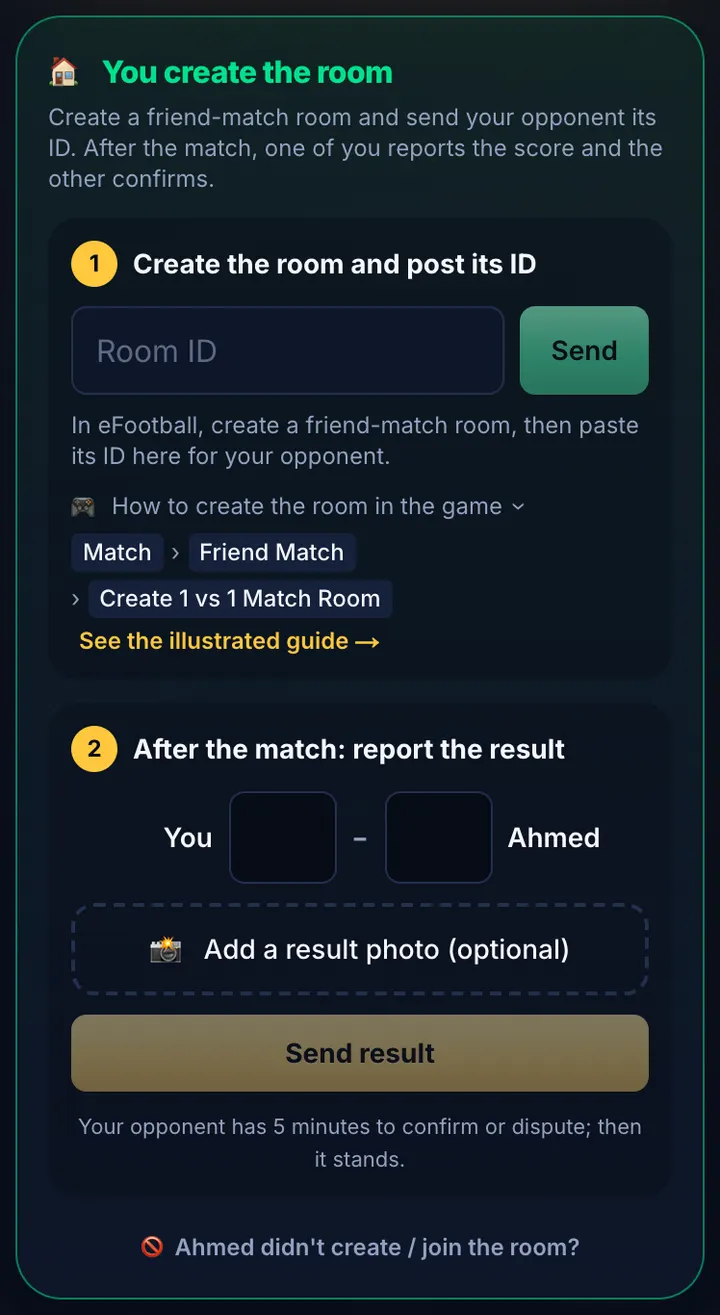
In big rounds, players create friend match rooms themselves, send each other the room ID and report the score; the opponent has 3 minutes to confirm or dispute, after which it's confirmed automatically. From the round you chose in “Rooms for the last rounds”, you create a Custom Tournament room in the game and post its ID for the players. You can also make players room or group hosts so they run their own room.
- 3
Step 3
Follow up
“Needs attention” lists disputed matches, no-show reports and overdue matches. Open the tournament to check result screenshots, fix a score, award a walkover or clear a result for a replay. Each match's chat lets you talk to both sides.
- 4
Step 4
Close the group stage
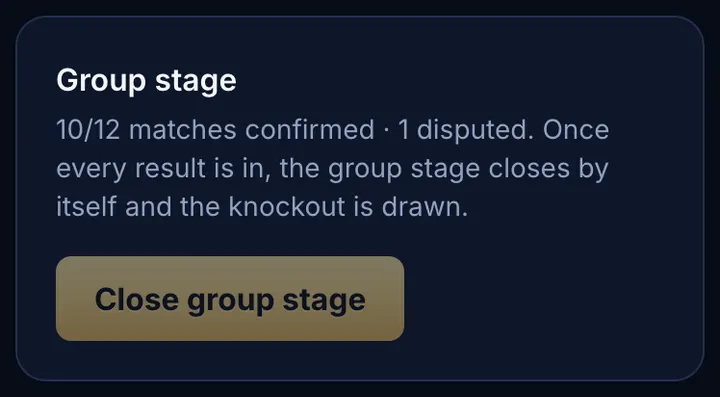
Group tournaments: when all results are in, the group stage closes by itself and the knockout is drawn; press “Close group stage” to do it at once. If players are level on every tiebreaker, you'll be asked to pick or draw lots.
- 5
Step 5
The end
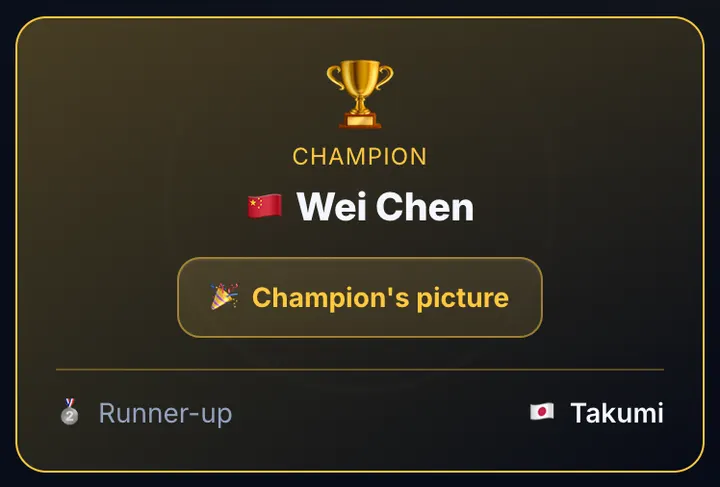
Once the final has a result, the tournament finishes by itself: the page shows the champion and standings, and players get their eFF Points.
✅ After the tournament
- A finished tournament no longer counts towards your 3: you can create a new one.
- Run tournaments regularly with few disputes and ask the admin for a bigger size limit.
- A trusted tournament can be made official by an admin (it then counts for Elo); you still manage it.
- An admin can add people to manage your tournament with you.
💡 Tips for a smooth tournament
- The site draws 5 minutes before kick-off. For players to know their opponents sooner, close registration early and draw from the Bracket tab.
- Write clear rules: what happens on a disconnect, how long to wait for an opponent, when a player forfeits.
- Send players the “Friend match guide” so everyone knows how to create a room and share its ID.
- Ask players to install the app and turn on notifications, so they don't miss kick-off, room IDs or messages.
- Ask players to screenshot results: disputes are settled much faster with a picture.
🛟 FAQ
- No “My tournaments” item or “New tournament” button: your account doesn't have access yet; message the admin.
- Can't pick a bigger size: your size limit is set by the admin; ask them to raise it.
- Changing the format after the draw: not possible; redraw (before any result) or cancel and create a new tournament.
- A player can't register: only players on the tournament's platform can; they need to fix the platform in their profile.